Add Player Spaceship
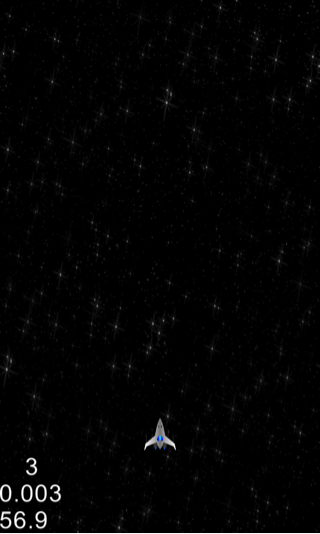
To make the player spaceship fly through space, we simply need to add it on top of our scrolling background.
4. In HelloWorldScene.h:
(a) Define the following constant for scaling assets to half the size since we are targeting 720p screen resolution:
#define SPRITE_SCALE_FACTOR 0.5f //Scale factor for sprite assets
(b) Under private declarations add:
//Player Spaceship sprite
cocos2d::CCSprite* _player;
5. In HelloWorldScene.cpp, under the HelloWorld::init() method add right before the schedule updateGame call (this->schedule(…)):
//Load Player Spaceship sprite
_player = CCSprite::createWithSpriteFrameName("playership.png");
_player->setScale(SPRITE_SCALE_FACTOR);
//Position the player sprite at the bottom of the screen
_player->setPosition(ccp(_winWidth/2,_origin.y + (_player->getScaleY()*_player->getContentSize().height)));
this->addChild(_player,10); //Highest Z-order since player sprite needs to be always on the top
In the above code, we first created a constant for scaling our assets to 720p screen size supported by current BlackBerry 10 devices. Since our sprite assets are designed for 1080p screen we can easily change this constant to support any other screen resolution up to 1080p in the future. Next, we added player sprite and positioned it slightly above the bottom center of the screen (by adding the height of the player sprite as an offset).
Build/deploy the project and you should be able to see the player spaceship moving through space.
You can download the completed source code for this step from here.
 pratiksapra.com
Thank you very much.
Written very well.